untangled-html
Untangled HTML: Declutter Your Code
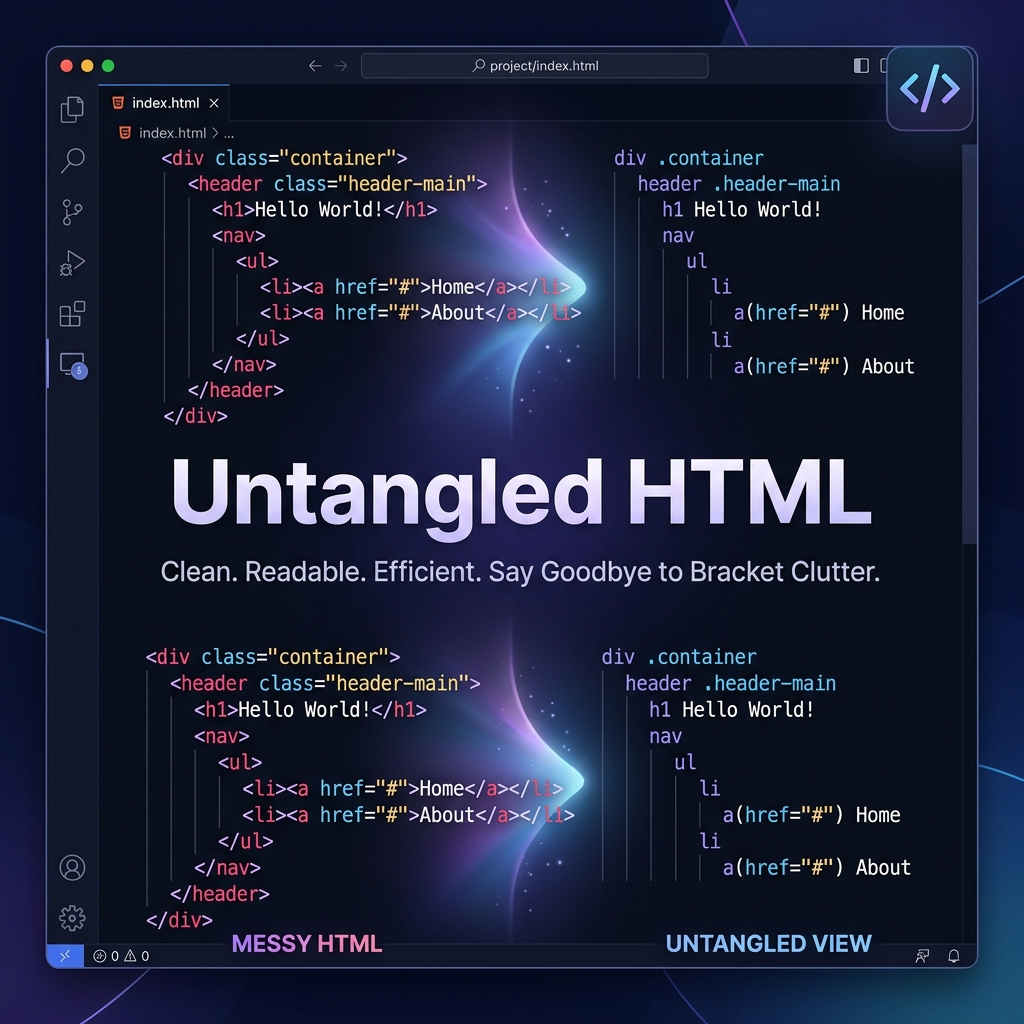
Breathe life back into your code. Focus on logic, not brackets.
🚀 The Problem: Visual Noise
HTML can be verbose. Between <div>, <span>, and nested components in Vue/JSX, the angle brackets (< >) often create “visual noise” that makes it harder to scan the actual content and structure of your app.
✨ The Solution: Untangled HTML
Untangled HTML is a high-performance VS Code extension that gives you a “Zen Mode” for your markup. With one command, you can hide all angle brackets, leaving a clean, readable structure that feels more like Python or Stylus, while keeping your code perfectly valid.
| Feature | Standard View | Untangled View |
|---|---|---|
| Clutter | Heavy angle brackets < > / |
Clean, focused text |
| Readability | Distracting syntax | Component-first focus |
| Workflow | Standard editing | Rapid scanning & review |
🛠 Features
- ⚡ Instant Toggle: Switch between views instantly with a command or keybinding.
- 🎨 Theme Aware: Automatically adjusts its color to match your VS Code theme, making hidden brackets invisible but accessible.
- 📦 Massive Language Support: Works seamlessly with
.html,.vue,.jsx,.tsx,.svelte,.astro,.erb(Ruby on Rails),.mdx,.liquid(Shopify),.php(Blade),.handlebars, and.xml. - 📊 Status Bar Integration: See the current state (Hidden/Visible) at a glance in your bottom bar.
- 🧠 Zero Configuration: Works out of the box. No complex settings required.
📸 See it in Action
Before (Standard HTML)
<section class="hero">
  <div class="container">
    <h1>Welcome to Untangled</h1>
    <p>Visual noise is gone.</p>
  </div>
</section>
After (Untangled Mode)
section class="hero"
  div class="container"
    h1 Welcome to Untangled h1
    p Visual noise is gone. p
  div
section
Note: The extension only affects visibility in the editor. Your files remain 100% valid HTML/Vue/JSX on disk.
📦 Installation
- Open VS Code.
- Press
Ctrl+Shift+Xto open the Extensions view. - Search for Untangled HTML.
- Click Install.
🎮 How to Use
- Open any HTML, Vue, or JSX file.
- Open the Command Palette (
Ctrl+Shift+P/Cmd+Shift+P). - Type Toggle HTML Angle Brackets and hit enter.
- Tip: Assign a shortcut (like
Ctrl+Alt+H) for even faster toggling!
🤝 Contributing & Feedback
We love community involvement!
- 🌟 Like it? Leave a review on the Marketplace.
- 🐛 Found a bug? Open an Issue.
- 💡 Have an idea? Pull requests are welcome!
📜 License
Distributed under the MIT License. See LICENSE for more information.
Made with ❤️ by Rahul Dhole